What Is a Shooting Log?
A shooting log is the permanent record of everything that happened with a specific roll of film. It captures what camera and lens you used, the date you shot, where you were, any notes you took, and the scanned images from that roll. Over time, your collection of shooting logs becomes a detailed archive of your entire film photography practice.
Latent is designed so that creating and maintaining these logs requires as little manual work as possible.
How Logs Are Created Automatically
You do not need to create a shooting log manually. There is no manual creation option — logs are always generated automatically. When you move a film stock to the Done status in the stock workflow, Latent automatically generates a shooting log linked to that stock.
The auto-generated log is pre-populated with information from the stock record:
- The film name and format from the stock
- The camera associated with the stock (set during the In Use stage)
- The lens associated with the stock (set during the In Use stage)
- The shooting date (set during the In Use stage)
This means the most important metadata is already filled in by the time you open the log to review it. Your job is simply to add the details that only you know.
Editing a Shooting Log
To open a shooting log, go to the Logs section from the main menu and click on the log entry you want to view.
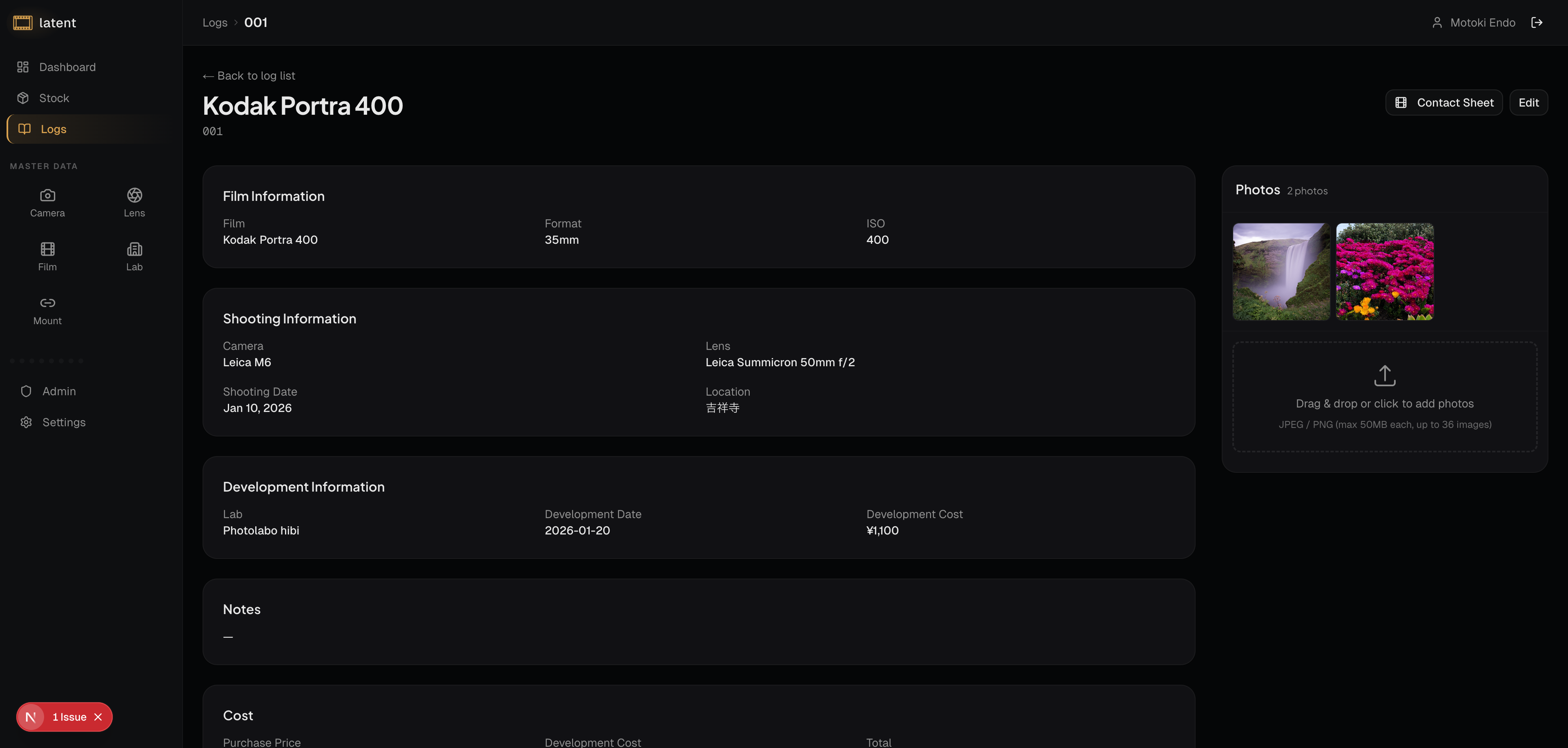
Inside the log, you can edit the following fields:
Camera and Lens
Select a camera from your registered camera bodies. When you select a camera, Latent automatically checks mount compatibility and shows only lenses that are compatible with that camera's mount in the lens dropdown.
Shooting Date
Set the date when you shot the roll. This date is used for sorting and filtering your log history.
Shooting Location
Enter the location where the shooting took place. This can be as general as a city name or as specific as a neighborhood or landmark.
Notes
The notes field is a free-text area where you can record anything relevant to the roll. Some photographers use it to capture:
- The project or series the roll belongs to
- Exposure settings or development push/pull instructions
- How the lighting conditions were that day
- Personal impressions or things to try differently next time
Read-Only Information
The following sections are carried over from the stock record and cannot be edited from the log:
- Film Info: Film name, format, and other film details
- Development Info: Lab name, development date, development cost, and other development details
Uploading Scanned Images
Once you have your scans, you can attach them to the shooting log. Drag and drop files onto the images section or click the upload area to select files from your device.
Latent compresses images automatically to optimize storage while preserving visual quality, so you do not need to resize files before uploading. Uploaded images are displayed in a grid within the log and can be opened in a full-screen lightbox view. For more detail on image management, see the Image Management guide.
Browsing and Filtering Your Logs
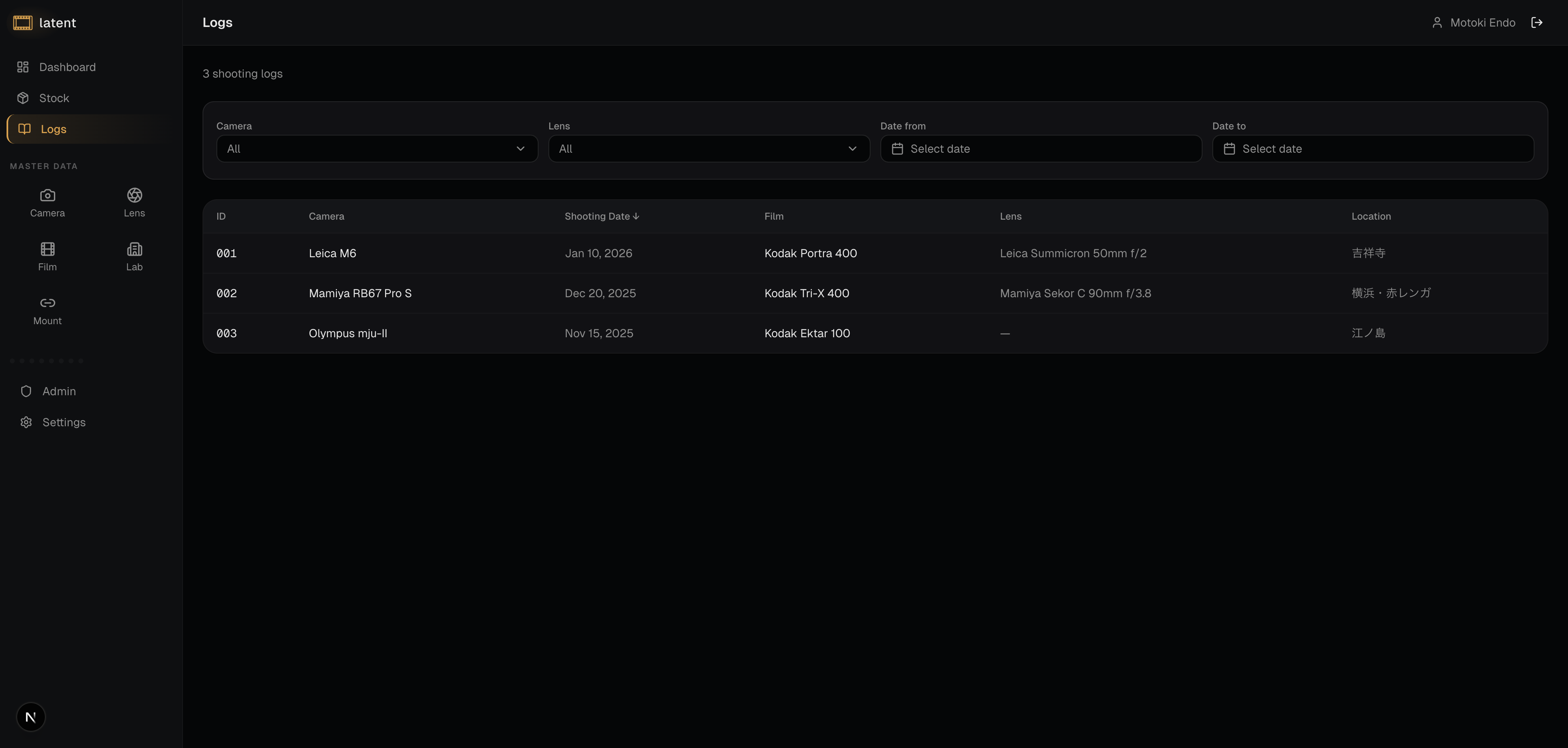
The Logs section displays all of your shooting logs in a table. You can narrow down the list using the available filters:
- Camera: Select a camera from the Combobox to show only logs shot with that camera.
- Lens: Select a lens from the Combobox to show only logs shot with that lens.
- Date From / Date To: Find logs from a particular period.
You can also sort the table by clicking column headers:
- Shooting Date: Sort by date
- Display ID: Sort by log ID
- Camera: Sort by camera name
The log list displays 20 entries per page. Use the pagination controls to navigate through your full log history.
Click on any log entry to open its full detail view. From there you can continue editing, upload images, or generate a contact sheet (if the log has at least one image).
The Value of Complete Logs
The more consistently you fill in your shooting logs, the more useful Latent becomes over time. Complete logs let you:
- Identify which films and cameras you reach for most often
- Review your work by location or time period
- Share your process with other photographers through contact sheets
- Export your data as CSV for backup or analysis
Even if you only have a few minutes after receiving your scans, adding a location and a short note goes a long way toward building a meaningful archive that will serve you for years.